Facebook Messenger has evolved into more than just a chatting tool, it’s now a robust platform for communication, collaboration, and productivity. One of its lesser-known but highly valuable features is Facebook Messenger Notes. This guide will delve into what Messenger Notes are, how to use them, and how they can enhance your productivity and communication efficiency.
Netizens Views On Facebook Messenger Notes
Researches show that almost over 100 million teenagers have shared notes, since the messenger note was actually launched and till date this figure might me far more than this.
According to CNN Philippines report people have mixed views about the new messenger notes feature, some took these in a funny way while other’s called it a great opportunity to boost business, A person said: I thought we’re supposed to share a thought? Why is it that in my Messenger they look like they are taking swipes at each other?
However, some netizen said Messenger Notes can increase the visibility of online entrepreneurs.
“For Marketing use case, this is valuable. This is increased visibility!…You will enjoy it if you have smart & intelligent friends. You will hate it if you have puro-hate-and-toxic-ang-pinopost friends,” said by a netizen.
Meanwhile others were seen asking groups if they have the new feature, noting that it seems the update has not been rolled out and they do not have messenger notes feature showing.

What Is Messenger Notes Feature
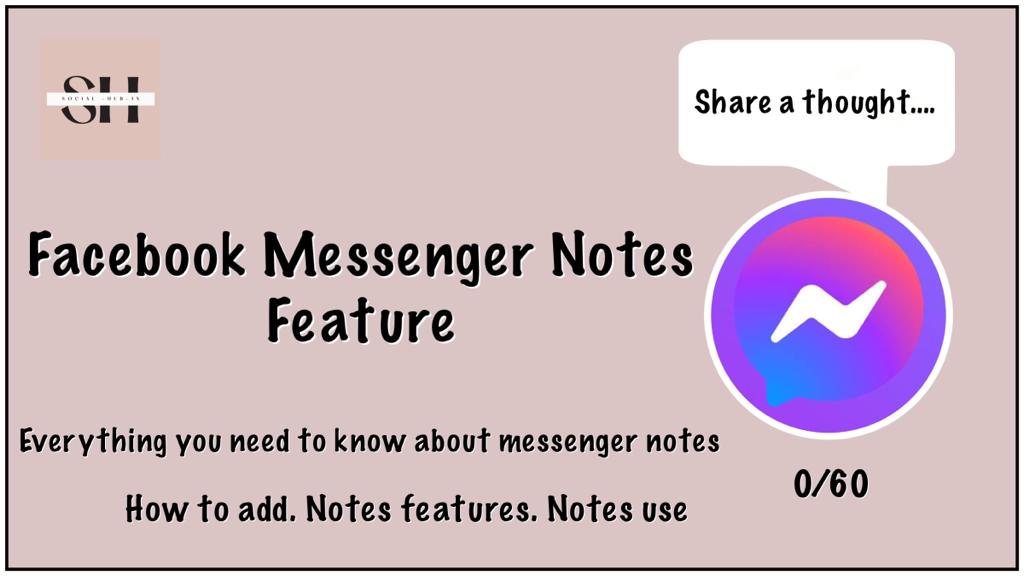
Facebook Messenger Notes, launched in late 2023, are a subtle yet powerful feature that allows users to post short messages visible to their contacts directly within the Messenger app. These notes appear as small thought bubbles pinned to your profile picture, much like status updates. However, unlike traditional status updates, Messenger Notes are designed for quick, ephemeral communication – think of them as a way to share a fleeting thought, a mood, or a quick update without the permanence or formality of a post.
One key aspect of Facebook Messenger Notes that sets them apart from similar features on other platforms is their simplicity and focus on text-based communication. Unlike Instagram Notes, which allows for more multimedia interaction, Messenger Notes are restricted to just 60 characters of text or emojis. This limitation encourages users to be concise and creative, making every word count.
Key Features of Messenger Notes
- Brief Messages: Each note is limited to 60 characters, making it a quick way to share thoughts or updates.
- Emoji Support: You can add emojis to your notes to make them more expressive.
- Direct Replies: When someone replies to your note, it starts a private one-on-one chat that’s only visible to you and the responder.
Messenger notes offer a wide platform for enhancing your visibility on social media, as the notes are also called the mini posts, there is a probability that Instagram algorithms do count daily Notes posting as a ranking signal and notes can be a reason for showing your profile at the explore page.
How Messenger Notes Integrate with Facebook’s Ecosystem
Facebook Messenger Notes are part of Facebook’s broader strategy to integrate more personal, real-time communication features across its platforms. By introducing Notes, Facebook provides users with a tool that blends the immediacy of messaging with the casual nature of status updates, creating a unique space for interaction that’s less formal than a post but more visible than a direct message.
For instance, if you’re attending an event and want to let your friends know you’re around without sending a direct message to everyone, a Messenger Note can do the job. It’s a subtle nudge that can encourage interaction without being intrusive.
Who are Facebook Messenger Notes for?
Facebook Messenger Notes are primarily designed for individual users who want to share quick, temporary updates with their contacts. Currently, the feature is exclusive to personal accounts, which means businesses and public figures cannot use Messenger Notes to reach their audience. This restriction aligns with Facebook’s intention to keep Messenger a space for personal communication rather than commercial promotion.
Why Businesses Are Excluded (for Now)
There’s a good reason why Messenger Notes aren’t available for business accounts. Messenger is fundamentally a messaging platform, and flooding it with promotional content could detract from its purpose. Facebook likely wants to avoid the spammy experience users often encounter in their email inboxes. However, this could change in the future, especially if Facebook finds a way to balance personal and promotional content within Messenger.
For now, businesses can explore other features like Messenger ads or integrate tools like NapoleonCat to manage their Facebook communications more effectively.
How Individuals Can Leverage Messenger Notes for Personal Branding
If you’re a freelancer, solopreneur, or someone looking to build a personal brand, Messenger Notes offer a subtle way to keep your network informed. For example, you could:
- Share your latest work: Post a note like “Just published a new blog post! Link in bio” to drive traffic without being overly promotional.
- Highlight availability: Let clients know when you’re available for meetings or consultations by posting a note like “Available for calls this afternoon.”
- Maintain a personal connection: Use Notes to share personal updates that keep you top-of-mind with your network, such as “Excited for a new project starting today!”
How to Use Facebook Messenger Notes
Using Facebook Messenger Notes goes beyond just posting a message; it’s about strategic communication. Here’s how to maximize their potential:
Strategic Tips for Effective Messenger Notes
- Timeliness: Since Notes disappear after 24 hours, timing is crucial. If you’re promoting something time-sensitive, like a flash sale or an event, make sure to post your Note at a time when your contacts are most active.
- Engagement: Craft your Note to encourage interaction. For example, ask a question or share a thought-provoking statement that might prompt someone to reach out. “Anyone else think Mondays should start at noon?” could spark a conversation.
- Consistency: Regularly updating your Notes can help keep you engaged with your contacts. It shows that you’re active and present, which can be particularly useful for personal branding.
- Subtle Promotion: If you’re using Notes for personal branding, keep the promotion subtle and focus on building relationships. A Note like “Excited to help a new client today!” subtly promotes your services while staying personal.
Ways To Use Facebook Messenger Notes

Numerous users tend to overlook the potential of the messenger notes feature, not fully realizing its creative possibilities. Remarkably, there exists a multitude of ways to employ this feature to establish meaningful connections with your Messenger friends. Below, I’ll delve into various methods through which you can bridge the gap between your friends, fostering engagement and interaction:
1)Tell them what are you doing.
2)You can ask their views on a topic.
3)Ask them to suggest something.
4)Share your views on hot trendy topics.
5)Ask them about the day.
6)Ask them about upcoming events.
7)Share with them a short hilarious joke.
8)Share motivational, success, emotional, love quotes.
9)You can Also leave only emojis 😘😂😇😎🥺🤩😭 for others to unveil.
10)Ask them to comment your latest post.
11)Ask them to view your story.
12)Ask them to share their views on your newly created reel.
13)If you are a business profile, Share with them Discounts and promotions.
14)Invite them to your posts for maximum views and likes.
15)Share with them Famous Magazines.
16)share with them TV serials and entertainment shows dates and timings share your last watched drama serial.
17)Ask them about their favorite show, Celebrity, Drama, Cartoon, Movie, Series, Episode.
18)Share a live event Tell them it’s your Birthday 🎂🍥🍰.
19)Tell them it’s Hot or Cold enough outside.
Remember, Messenger Notes are a versatile tool that allows you to express yourself creatively and authentically. By exploring different ways to use this feature, you can engage your audience, foster connections, and make your posts truly stand out.
Adding Note On Facebook Messenger

Adding note in Facebook messenger is also the same as adding note on Instagram, Open up the messenger app and there click on the (+) icon down to your profile picture, write a text, template of Max 60 /60 characters (including emojis), and press share, Your note will be live to all your friends. The note will be visible for 24 hours and afterwards will vanish.
The note you write and share will be visible to everyone in their chat section your note will be written down to your circular Profile picture Just like when you open up Messenger and see online people, This time you will also see the notes that people have shared, And same like your note will also be visible to them.
As of now, the Notes feature is exclusively accessible through the Android and iOS versions of the Messenger app. Unfortunately, for those using the desktop (MacOS/Windows) or web versions, the Notes feature remains unavailable. It appears that Meta has chosen to reserve this feature solely for mobile app users, at least for the time being.
Advanced Tips for Crafting Effective Notes
- Use Emojis Wisely: Emojis can convey emotion and tone in a way that text sometimes can’t. However, don’t overdo it. A well-placed emoji can enhance your message, but too many can make it look cluttered.
- Test Timing: Experiment with posting Notes at different times of day to see when your contacts are most responsive. You might find that posting in the evening, when people are more relaxed, generates more engagement than during the busy morning hours.
- Utilize Shortcuts: If you frequently post similar types of Notes, consider creating a few templates or shortcuts on your phone so you can quickly post without having to type everything out each time.
How To Delete Note On Messenger
Deleting a note from Messenger is a straightforward process, you don’t need a master degree in doing it, It can be completed in just a few steps. Here’s a detailed guide on how to delete a note:
- Open Messenger: Begin by launching the Messenger app on your device.
- Access Chats: Navigate to the Chats section within Messenger where your conversations are listed.
- Locate Your Note: Look for the note that you want to delete. Notes are typically displayed next to your profile picture in the chat.
- Tap on Your Note: Once you’ve located your note, tap on it to open the options menu.
- Select “Delete Note”: In the options menu, you’ll find the “Delete note” option. Tap on it to proceed with deleting the note.
- Confirm Deletion: A confirmation prompt will appear asking if you’re sure you want to delete the note. Confirm your decision by tapping on “Delete” or a similar option.
- Completion: Once confirmed, the note will be deleted from the chat. You’re done!
How To Make Messenger Notes Attractive
If you want to grab public attention towards you, your notes must be as attractive as possible, here our experts have deduced some tips to make your notes eye catching:
| Experiment and Innovate | Instagram offers various features like Stories and Reels. Experiment with these whenever you post any, create a note and ask people to show some love |
| Discuss Current Events | If there’s something noteworthy happening in the world or on social media, discuss it in your notes. People appreciate staying informed about current affairs. |
| Share Inspiring Quotes | Quotes, those pearls of wisdom or humor from others, can capture attention and inspire your audience. Consider focusing on motivational quotes for added impact. |
| Pose Questions or Pique Curiosity | By asking thought-provoking questions or sparking curiosity, you can encourage people to stop and read more, possibly even leaving a response. |
| Keep It Short and Sweet | On Messenger, lengthy content can be a turn-off. Keep your messages concise, yet impactful and interesting. |
| Add Some Emojis | Emojis are tiny symbols that express emotions. They can add a fun and personal touch to your notes, making them more engaging. |
Difference Between Instagram Notes And Messenger Notes Feature
Messenger Notes, similar in concept to Instagram Notes, brings a distinct flavor to the world of digital communication. While these two features share common ground, they’re set apart by two distinctive elements that add a new layer of engagement.
Musical Enrichment:
Imagine composing a note to your friend while setting the mood with a favorite tune. Instagram Notes allows you to attach music to your notes, creating a dynamic fusion of words and melody that amplifies the emotional impact of your message. It’s like crafting a musical greeting card that resonates with both heart and ears.
The Messenger Notes still lack this feature, But we are not much away from enjoying this feature on Messenger as well soon….
Universal Visibility:
Unlike Instagram Notes, which offer the choice between sharing notes with close friends or a broader audience, Messenger Notes take a different approach. Every note you create is visible to your entire friend list on Messenger. This universal visibility means that your message, with its accompanying music, reaches every friend in your Messenger network.
Instagram Video Notes:
Instagram have taken another step ahead in the race of Notes, It has recently launched video notes, in which you can add a boomerang clip of 5 seconds, which keeps playing above your profile for 24 hours.
While on Instagram you have the choice to share your note to limited audience as well which is known as the Close friends feature.
How To Mute Facebook Messenger Notes
Muting a note in Facebook Messenger software isn’t a direct feature, but you can effectively hide a note from view if you prefer not to see it. Here’s a detailed guide on how to do this:
- Open Messenger: Begin by opening the Facebook Messenger app on your device.
- Access the Chat: Navigate to the chat where the note you want to hide is located.
- Tap on the Contact’s Profile Picture: Within the chat, locate the profile picture of the contact who sent the note you want to hide. Tap on their profile picture to open their profile settings.
- Select “Hide Contact”: In the contact’s profile settings, you’ll find the option to “Hide contact” or a similar option. Tap on it to hide the entire conversation, including any notes, from your chat list.
- Confirm Your Action: A confirmation prompt may appear asking if you’re sure you want to hide the contact. Confirm your decision by tapping on “Hide” or a similar option.
By hiding the contact, you effectively mute any notes or messages from that contact, as their conversation thread will no longer appear in your chat list. However, it’s important to note that this action doesn’t specifically mute notes but rather hides the entire conversation.
How To Report A Note On Facebook Messenger
- Open Messenger: Launch the Messenger app on your device.
- Locate the Note: Find the note that you want to report within the conversation thread.
- Tap on the Note: Tap on the note to open the options menu.
- Report the Note: In the options menu, you may find the option to “Report” the note. Tap on it to proceed with reporting the note to Facebook.
- Follow On-Screen Instructions: Follow any on-screen instructions provided to complete the reporting process. You may be asked to provide additional details about why you’re reporting the note.
Reporting a note helps Facebook identify and take action against inappropriate or spam content, ensuring a safer and more enjoyable messaging experience for all users.
Facebook Messenger Notes Ideas
To help you get started, here’s an extensive list of Messenger Note ideas tailored to different scenarios:
Daily Updates:
- “Today’s goal: Finish that report 📝”
- “Working on something exciting! Stay tuned.”
- “Running errands – will reply later.”
Mood & Vibes:
- “Feeling inspired! ✨”
- “Need coffee… Stat! ☕”
- “Hoping for some good news today.”
Business & Personal Branding:
- “Taking on new clients this month – DM me.”
- “Check out my latest project! Link in bio.”
- “Excited to collaborate with amazing people today!”
Fun & Jokes:
- “Why did the chicken cross the road? To avoid my Monday mood. 🐔”
- “Is it Friday yet? Asking for a friend. 😅”
- “How do you organize a space party? You planet. 🚀”
Motivational Quotes:
- “Believe you can, and you’re halfway there.”
- “Every day is a second chance.”
- “Stay positive, work hard, make it happen.”
Personal Life:
- “Just booked my next trip! ✈️”
- “Family time this weekend – will reply Monday.”
- “Celebrating a special milestone today! 🎉”
FAQs
Do Messenger also claim to add Music feature to it’s Notes?
No! adding a 30 seconds music to the note feature is yet only available in Instagram the messenger app still lack this feature.
Can I share messenger Notes To only close friends
Yet Messenger app have not introduced this feature but we hope that in future you will be able to share the note with specific people of your choice.
Is the Messenger notes feature available on both the Messenger app and website?
You can access the note feature only on phone, the feature is still not set to be used on web. For more brief description about features available on web please visit https://www.messenger.com/features/.
What’s the purpose of Messenger notes feature adding 60-characters
The 60-character note serves as a preview or teaser for your message. It gives your recipient a quick glimpse into the content or mood of your message, enticing them to respond with curiosity.
What should I write in my notes
Adding note brings joy, you put a note and the people interact to it, every friend of you can read the note you share with the audience, so even if you want to say something special to a person but you are shy to say it individually, try sharing it as a note the right person will automatically judge it was about him or her, and no worries we have hundreds of notes ready at https://socialhubin.com/facebook-messenger-notes-ideas/ just pick up a note of your choice and share with your friends.
When will Adding music to messenger Notes Feature Arrive?
Yet no one is sure about how long will it take for Music feature to be launched in Messenger, or it might be possible that the meta keep it’s musical notes feature limited to Instagram only but brings something new in Messenger, so stay calm Meta is always a line ahead of bringing new and exciting features for it’s users.
What are the different symbols on Messenger?
Facebook Messenger uses a variety of symbols and icons to convey different actions, statuses, and features. Here are some of the common symbols you might encounter on Messenger:
- Messenger Logo: The blue Messenger logo represents the Messenger app or website.
- Profile Picture: Your profile picture, or the profile picture of the person you’re chatting with, appears in the conversation to show who you’re talking to.
- Checkmarks: Checkmarks indicate the message status.
- Gray Checkmark: Message sent.
- Blue Checkmark: Message delivered.
- Filled Blue Circle with a Checkmark: Message read.
- Reactions: You can react to messages with emojis to express your feelings. When someone reacts to your message, you’ll see their chosen emoji under your message.
- Thumbs-Up: The thumbs-up icon is used to indicate that you’ve liked a message.
- Phone Icon: This icon appears when you’re in an active voice or video call.
- Camera Icon: You can send photos or videos by clicking on this icon.
- Microphone Icon: You can send voice messages by clicking and holding this icon while you record a message.
- Video Camera Icon: You can initiate a video call by clicking on this icon.
- Plus Icon (+): Click this to access additional features such as stickers, GIFs, games, or to create a plan or event.
- Paperclip Icon: This is used to attach files, photos, or other media to your messages.
- Dollar Sign ($): The dollar sign indicates that you can send or request money via Messenger.
- Location Pin: You can send your current location or share a nearby place using the location pin icon.
- GIF Icon: You can search for and send GIFs using the GIF icon.
- Thumbs-Down Icon: Use this to dislike a message or content.
- Three Dots (Options Menu): Clicking on the three dots will open a menu with more options, like marking a message as spam or muting a conversation.
- Profile Picture with a Blue Checkmark: This symbol indicates that the person’s profile is verified on Facebook.
- Birthday Cake: The birthday cake icon appears on a friend’s birthday.
- Video Play Icon: When you receive a video message, this icon appears.
- Typing Indicator: When someone is typing a message, you’ll see a ellipsis (“…”) in the chat.
These are some of the common symbols you’ll encounter on Facebook Messenger. The specific icons and their meanings may vary slightly based on the platform and the version of the Messenger app you’re using.
Where to See Replies to My Facebook Messenger Notes?
Replies to your Notes will appear as regular messages in your chat list. This means that even though the Note itself is public, any conversations it sparks will remain private between you and the person who replied.
Will People Get Notified When I Share a Note on Messenger?
No, Facebook Messenger does not send notifications when you share a Note. Your contacts will only see it when they open the Messenger app. This design choice keeps Notes unobtrusive and casual, fitting the ephemeral nature of the feature.
Do Facebook Messenger Notes Affect the Facebook Algorithm?
Currently, Facebook Messenger Notes don’t seem to have a direct impact on the Facebook algorithm, but they could influence user engagement in indirect ways. For example:
- Increased Interaction: If your Note prompts people to message you, this increased interaction might signal to Facebook that you’re someone worth connecting with, potentially boosting your content’s visibility elsewhere on the platform.
- Conversation Starters: A well-crafted Note can serve as a conversation starter, encouraging more meaningful interactions with your contacts.
It’s worth keeping an eye on how Facebook continues to evolve this feature, as future updates could change how Notes interact with the algorithm.
Can I Schedule Facebook Messenger Notes?
As of now, Facebook Messenger doesn’t offer a built-in feature to schedule Notes. However, if you’re managing multiple social media platforms and looking to maintain a consistent presence, you might consider using a tool like NapoleonCat. While it can’t schedule Messenger Notes specifically, it can help you streamline your overall social media management, ensuring you’re posting regularly across all channels.
Where Do I Find Facebook Messenger Notes?
If you’re new to Messenger Notes, finding them is simple:
- Open Messenger.
- At the top of your chat list, you’ll see profile pictures with small text bubbles next to them. These are Messenger Notes.
If you don’t see any Notes, it’s possible that your contacts haven’t posted any yet. Notes are still a relatively new feature, so not everyone may be using them.
Why Don’t I Have Facebook Messenger Notes?
If you’re unable to access Messenger Notes, here are a few troubleshooting steps:
- Update the App: Make sure you’re using the latest version of Messenger. Sometimes, new features are rolled out gradually, so updating your app might resolve the issue.
- Reinstall the App: If updating doesn’t work, try reinstalling the Messenger app. This can help clear any bugs that might be causing the problem.
- Contact Facebook Support: If you’ve tried the above steps and still don’t have access to Notes, consider reaching out to Facebook Support for assistance.
Benefits of Using Messenger Notes
- Stay Connected: Notes are a simple way to keep in touch with friends and followers without the need for long messages.
- Increase Visibility: Regularly posting notes can help boost your visibility on social media. There’s a chance that algorithms might consider note activity when determining what to show on the Explore page.
- Easy Interaction: Notes make it easy for friends to interact with you, either by liking your note or starting a private conversation.
Tips for Effective Use
- Be Creative: Use the limited space creatively with emojis and concise language to make your notes stand out.
- Stay Active: Regularly post notes to keep your profile active and engaging.
- Respond Quickly: Engage with people who reply to your notes to build stronger connections.
Conclusion
The article covers each and every aspect of Messenger Notes feature, form what are messenger notes to what can be your first note, here we have covered Frequently asked questions as well which most of the people confuses about.
What makes the “Add a Note” feature truly exciting is its potential to inject creativity. Adding a note to your messenger lets you craft a more engaging narrative. Imagine sharing a note that says, “Get ready for the adventure of a lifetime!” or a message to your sibling in the form of a note that says, “Remember the cookie jar incident?” These additional notes turn ordinary chats into memorable interactions.
well it was just a glimpse, these note can be used for a wide range of purposes, as discussed earlier in the article. Our media team is working day and night to bring forward the solutions and new ideas to make your social lives more and more joyous and if you ever need our help we will be always there for you, Just leave us a comment and we will be glad helping you.
About The Author

Position: Team Lead (Content Writers).
Saboor has been employed as editors head at Socialhubin for years, authoring articles centered around new discoveries, latest news, and advance methods to learn. Additionally, he pens articles pertaining to Instagram, Facebook, TikTok, Snapchat, and Twitter. Almost all social media Platforms, During his leisure time, Saboor delights in reading, traveling, and researching new features In social media.