
Are you tired of getting lost in your Instagram messages? Don’t worry, because Instagram has a handy tool called the flag feature to help you out. In simple terms, it’s like putting a special sticker on important messages so you can find them easily later.
What Does Flagged Mean On Instagram
Imagine you’re getting lots of messages on Instagram, and you want to remember which ones are super important. That’s where the flag comes in. It’s like a little reminder that says, “Hey, don’t forget about this message!” And if you flag that conversation you can ask your friend, that his or her chat is flagged on your Instagram.
Benefits Of Orange Flag for Businesses On Instagram
For businesses leveraging Instagram as a marketing platform, the flag feature holds immense significance. With the ability to mark conversations for follow-up, businesses can ensure timely responses to inquiries, collaboration opportunities, and customer support queries. This functionality is particularly valuable for managing high volumes of incoming messages, where efficient organization is paramount.
How To Use Instagram’s Flag Feature
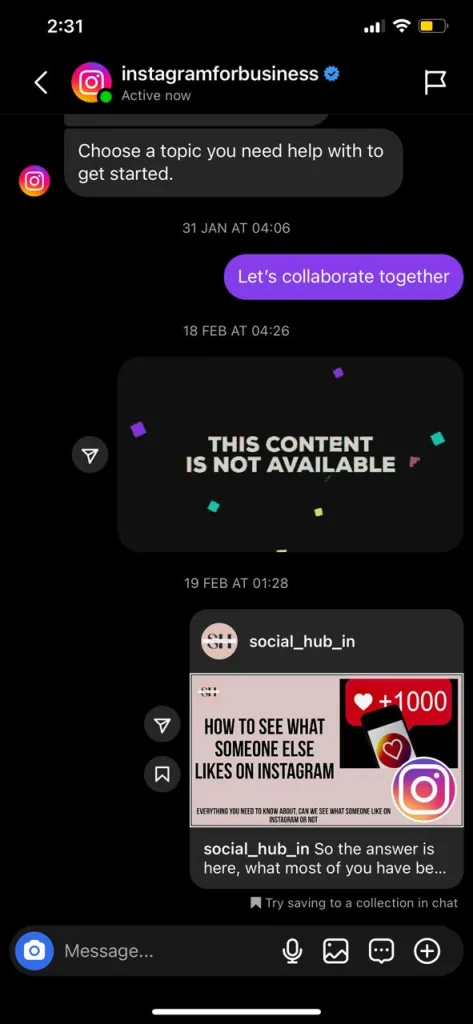
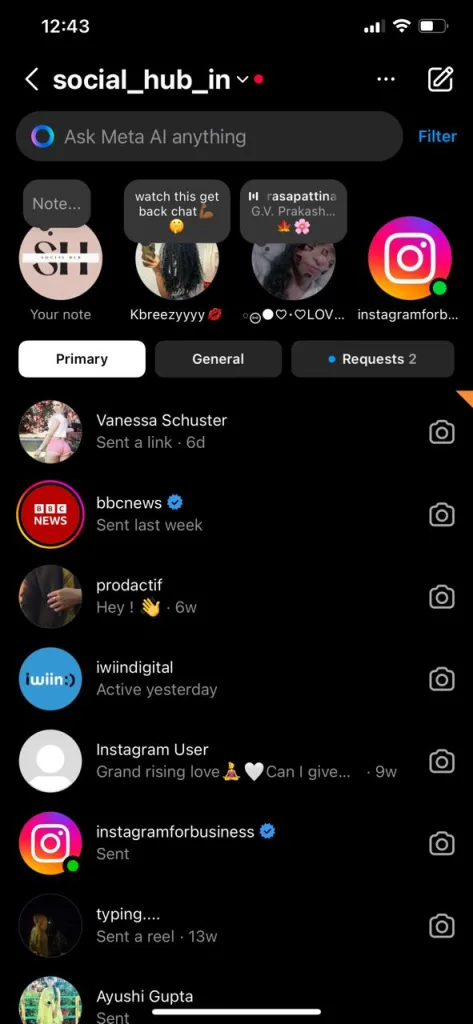
So, how can users make the most of Instagram’s flag feature? The process is simple yet impactful. By accessing the DM section, users can select individual conversations and apply the flag label. This instantly highlights the conversation with an orange triangle, signifying its importance for future reference. Additionally, users can explore advanced filtering options to categorize messages as unanswered, unread, or flagged, streamlining navigation within the DM interface.
FAQs
Q: Can I flag messages on Instagram if I have a personal account?
A: Yes, absolutely! Flags are available to all Instagram users, whether you have a personal account or a business account.
Q: Can other people see when I flag their messages?
A: No, flags are private. Only you can see the flags you’ve added to your own messages.
Q: Can I unflag a message if I change my mind?
A: Of course! Just follow the same steps you used to flag the message, but instead of selecting “Flag,” choose “Unflag.”
Q: Are there any limits to how many messages I can flag?
A: Not that we know of! You can flag as many messages as you like to help you stay organized, But do keep in mind flagging too much messages will create further confusion.
Q: Can I filter my messages to only show flagged messages?
A: Absolutely! Instagram lets you filter your messages to show only flagged messages, so you can easily find the ones you need to focus on.
Conclusion
Instagram’s flag feature is a simple yet powerful tool for keeping your messages organized. Whether you’re a seasoned Instagram user or brand new to the platform, flags can help you stay on top of your inbox and never miss an important message again. So why not give them a try? Your future self will thank you for it! However if you need our further help, please leave us a comment, we will be happy to assist you.
About The Author

Position: Team Lead (Content Writers).
Saboor has been employed as editors head at Socialhubin for years, authoring articles centered around new discoveries, latest news, and advance methods to learn. Additionally, he pens articles pertaining to Instagram, Facebook, TikTok, Snapchat, and Twitter. Almost all social media Platforms, During his leisure time, Saboor delights in reading, traveling, and researching new features In social media.